
Short answer: open the official registration page, install the Sindh Youth Card app from Google Play, sign up with your CNIC or B-Form, pass NADRA biometric verification, and your digital card is activated in the app.
Before you start
Check these three things first. They are the usual reasons a registration stalls.
- You are between 15 and 29 years old and hold a Sindh domicile. See the eligibility criteria.
- You have your 13-digit CNIC number, or your B-Form number if you are under 18. See the required documents.
- You have an Android phone with a working mobile number and an internet connection.
How to apply online, step by step
- Open the official portalGo to sindhyouthcard.gos.pk and tap Register. A QR code appears on the registration page.
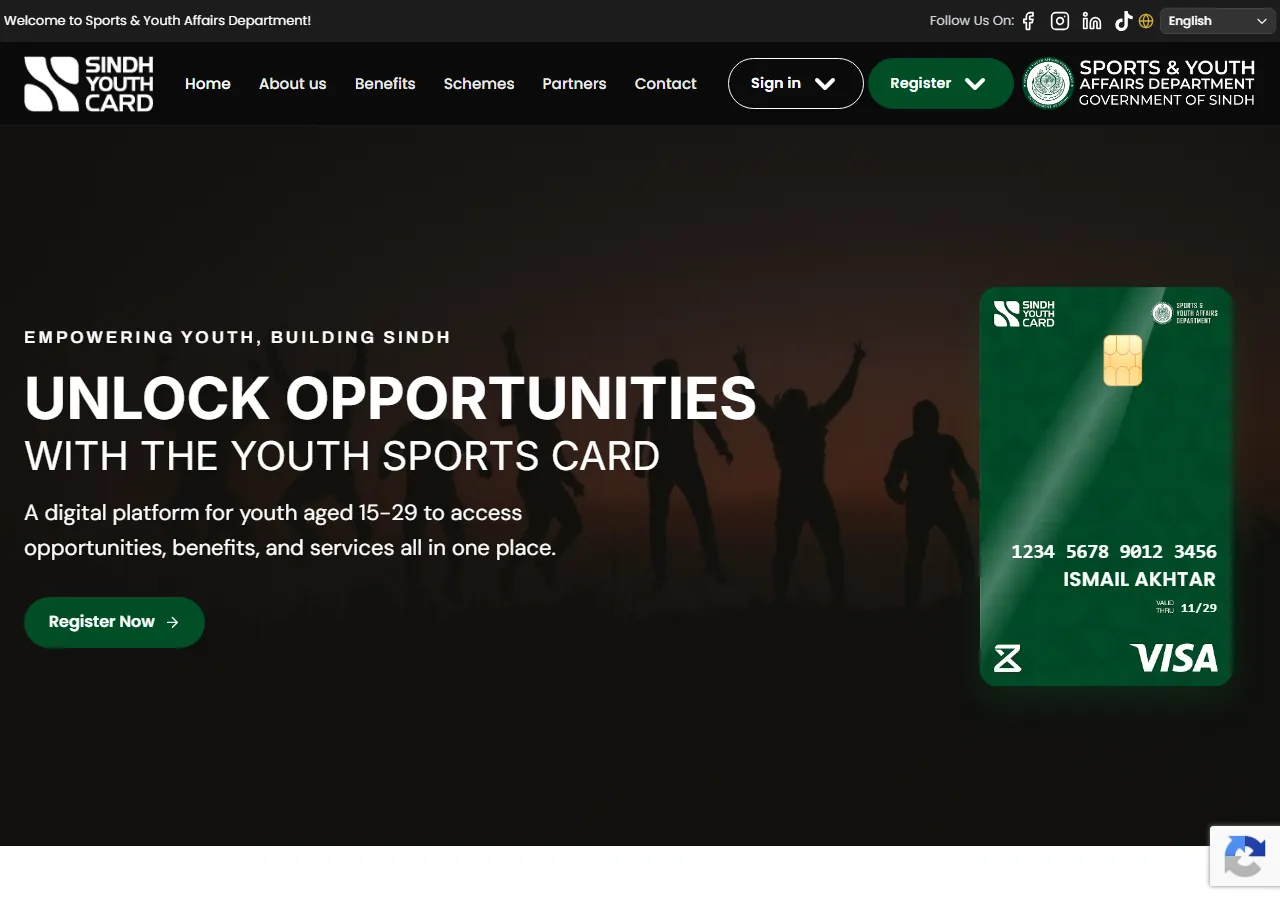
The official portal. Register is in the top menu. 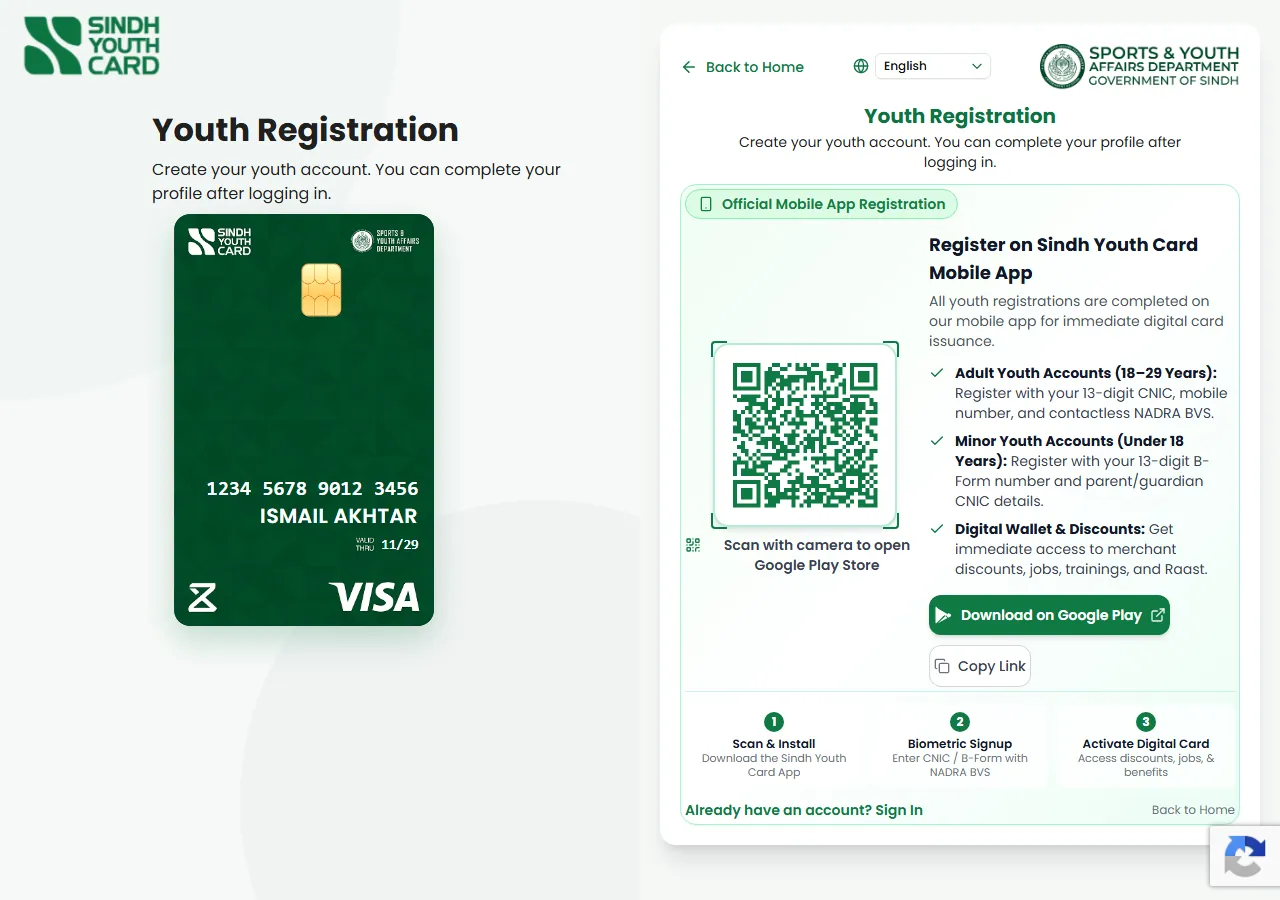
The official registration page with the QR code. - Install the official appScan the QR code, or open the Sindh Youth Card app directly on Google Play, and install it. The genuine listing is published by Sapphire Consulting Services.
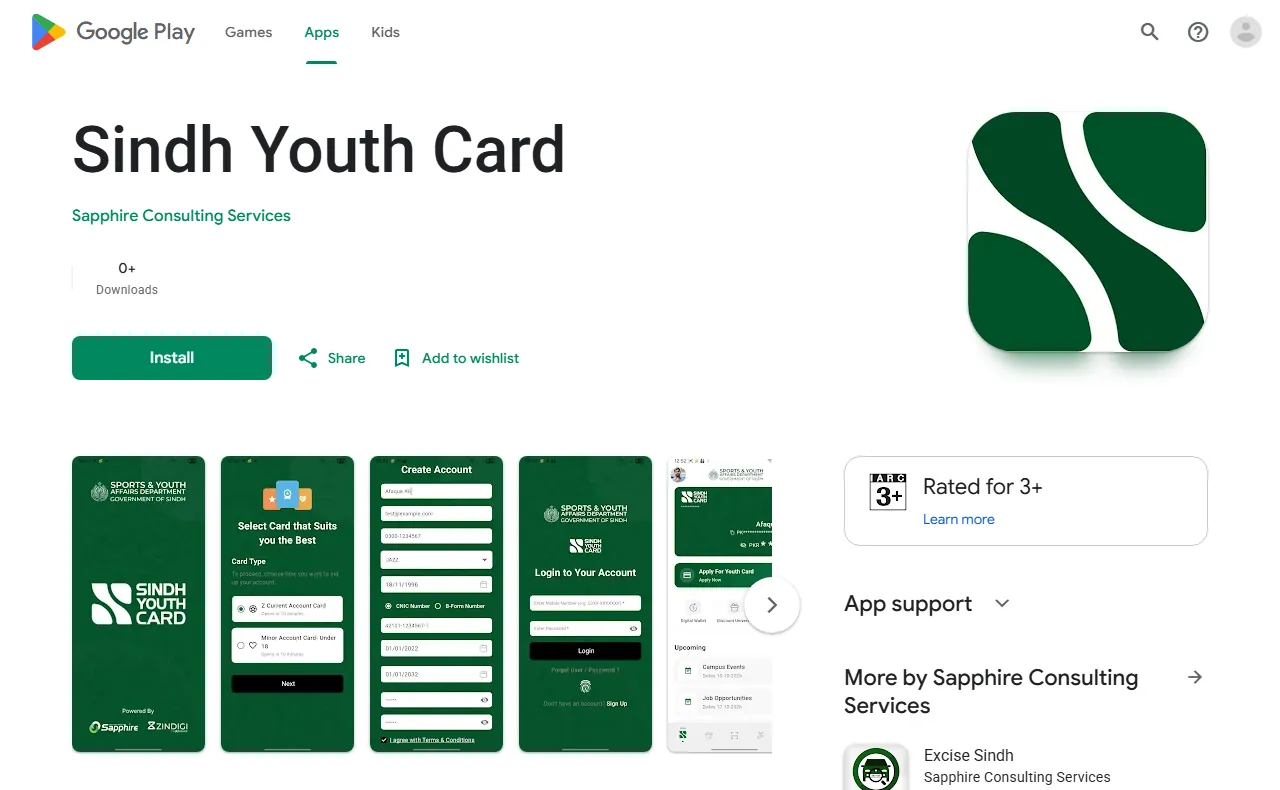
The official app on Google Play. - Choose your card typeOpen the app and tap Sign Up. Pick Current Account Card if you are 18 or over, or Minor Account Card – Under 18, then tap Next.
- Fill in the Create Account formEnter your name, email, mobile number and network, and date of birth. Select CNIC Number or B-Form Number, type the number with its issue and expiry dates, set a password, and tick the terms and conditions. Applicants under 18 also give a parent's or guardian's CNIC details.
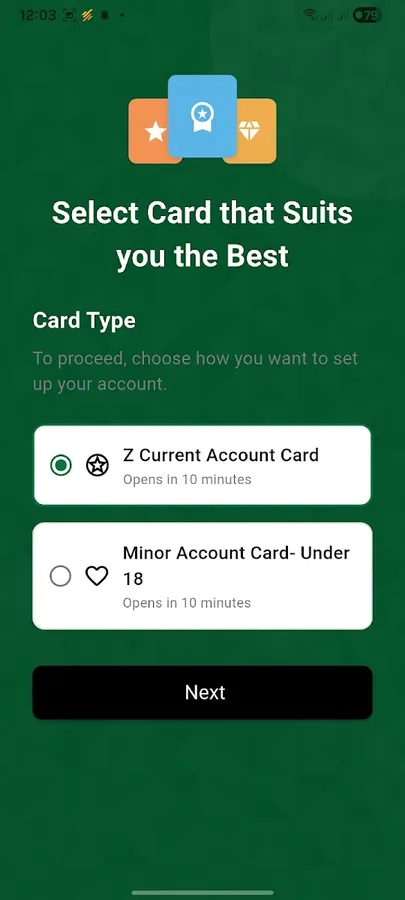
Step 3: card type 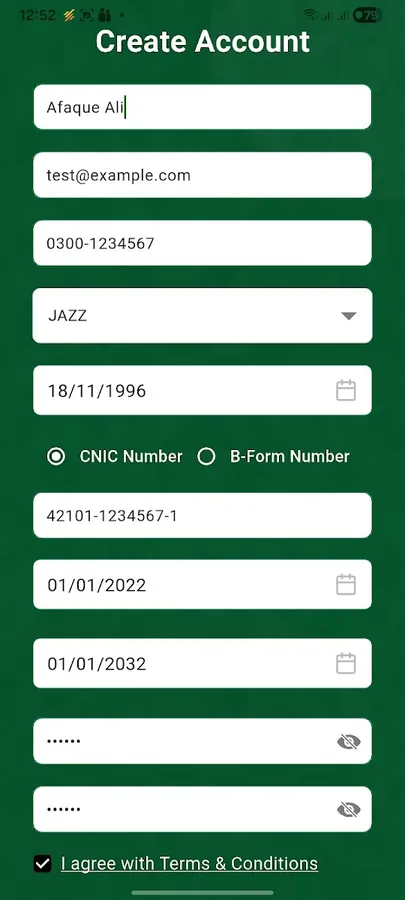
Step 4: Create Account 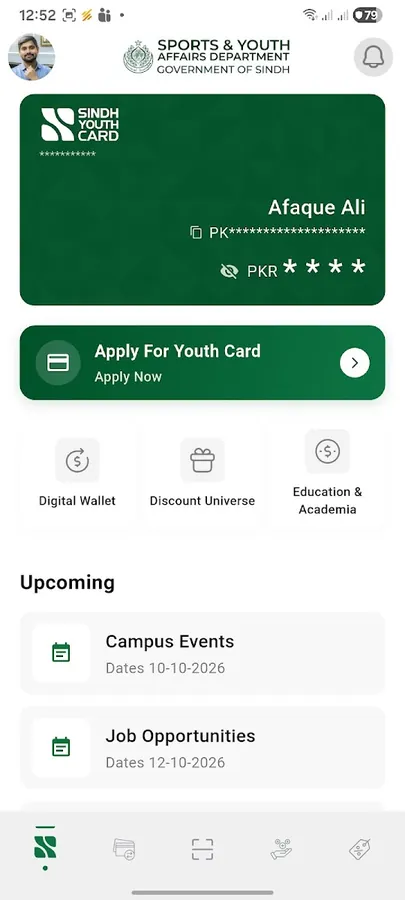
Step 6: your digital card From the official app's Google Play listing.
- Complete biometric verificationThe app verifies you against NADRA records using its contactless biometric verification system.
- Activate your digital cardOnce verification passes, your digital Sindh Youth Card is issued in the app straight away.
- Sign in and complete your profileReturn to the official website, tap Sign in, and fill in the rest of your profile. The portal and login guide shows the Youth Login page. A complete profile matters when you apply for scholarships, jobs or internships.
Open official registration page Get the app on Google Play
Registration form: what you fill in
People search for a "Sindh Youth Card registration form PDF". There isn't one. The form is a few screens inside the app. The fields below are the ones visible in the app's own screenshots on Google Play.
| Field | Age 18–29 | Under 18 |
|---|---|---|
| Card type | Current Account Card | Minor Account Card – Under 18 |
| Name, email, date of birth | Required | Required |
| Identity number | 13-digit CNIC | 13-digit B-Form number |
| Guardian details | Not needed | Parent's or guardian's CNIC details |
| ID issue and expiry dates | Asked for on the form | |
| Mobile number and network | Required | Required |
| Password | You set it on the form and use it to log in | |
| Biometric verification | NADRA verification inside the app | |
Registration dates and last date
The Youth Card Sindh Government online registration opened on 23 November 2026. No last date has been announced.
| Launch date | 23 November 2026, at a ceremony in Karachi |
|---|---|
| Registration start date | 23 November 2026 |
| Last date to apply | Not announced |
| First phase | 100,000 young people |
| Registration fee | No fee mentioned on the official portal or app listing |
The Chief Minister of Sindh has said the programme will expand gradually, to as many as one million young people. Nothing official says what happens once the first 100,000 places fill.
Common registration problems
Biometric verification fails
Try again in good light with a clean camera lens. If it keeps failing, your NADRA record may need updating. Visit a NADRA centre, then retry in the app.
You live in Karachi or a district town
There is no registration centre to visit. Registration is online in the app wherever you are in Sindh.
The app will not open or shows a server error
Launch week traffic is heavy. Update the app, check your connection and try again at a quieter time such as early morning.
You are asked to pay
Registration happens only in the official app. Nobody can register you for a fee, and nobody from the programme will ask for your OTP, PIN or password. If a website or agent asks for money, walk away.
If you are stuck, call the Sports & Youth Affairs Department helpline on 021-99203009.
Frequently Asked Questions
Where is the Sindh Youth Card registration form?
There is no PDF or paper registration form. The form is inside the official Sindh Youth Card app, where you enter your CNIC or B-Form number and mobile number.
What is the last date to apply for the Sindh Youth Card?
No last date has been announced. The first phase covers 100,000 young people, so applying early is sensible. We will add the deadline to the updates page if one is announced.
Is there a registration fee?
No fee is mentioned on the official portal or the app listing. Do not pay any agent, shop or website that offers to register you.
Can I register on the website instead of the app?
No. The official registration page states that all youth registrations are completed in the mobile app. The website is used to sign in afterwards and complete your profile.
Sindh Youth Card online apply kaise kare?
Official portal par Register dabayen, QR code scan kar ke app install karen, CNIC ya B-Form number aur mobile number likhen, NADRA biometric verification mukammal karen, aur aap ka digital card app mein activate ho jayega.
Can I register with a B-Form?
Yes. Applicants under 18 register with their 13-digit B-Form number and a parent's or guardian's CNIC details.